Ransomware Resistant Backups with Cloudflare R2 and Restic
I recently started using restic for my server backups. For those unfamiliar, restic is a Git-like backup tool that efficiently manages file versions and is widely used for server backups.
Background
Most tutorials about restic focus on integrating it with object storage providers such as S3 or Backblaze B2. However, restic is not inherently resistant to host compromise. Since it needs write permission it can also override the files. To mitigate this, we typically need either object versioning or object/bucket lock.
- Object versioning: While effective, it makes restoring data cumbersome because you may need to sift through multiple versions, Assuming attacker tried overriding all files.
- Object/bucket lock: This felt more practical, so I experimented with bucket locking instead.
By default, restic only appends new files unless lifecycle rules are applied, which makes it well-suited for working alongside object lock—provided we exclude objects under the locks/ prefix. The challenge arises when running restic forget, since that operation requires removing older snapshots. With object lock in place, this would force you to release locks one at a time (see below), which is tedious and impractical.
This is where bucket lock becomes attractive.
Object Lock vs. Bucket Lock
- Object lock: Locks are applied at the individual object level. To remove them, you must send a separate unlock request for each object—painful if you have thousands of backups.
- Bucket lock: Locks are applied at the bucket or prefix level. Removing or adjusting the policy releases all locks at once, eliminating the need for per-object unlocks.
Unfortunately, many cloud providers only support object-level locking. At the time of writing, I found that Cloudflare R2 is one of the few providers offering bucket/prefix-level locking.
Workflow with Cloudflare R2
Using Cloudflare R2, I’ve been able to run restic with standard read/write credentials while relying on bucket lock for extra protection. Below is the configuration I used for my R2 bucket:
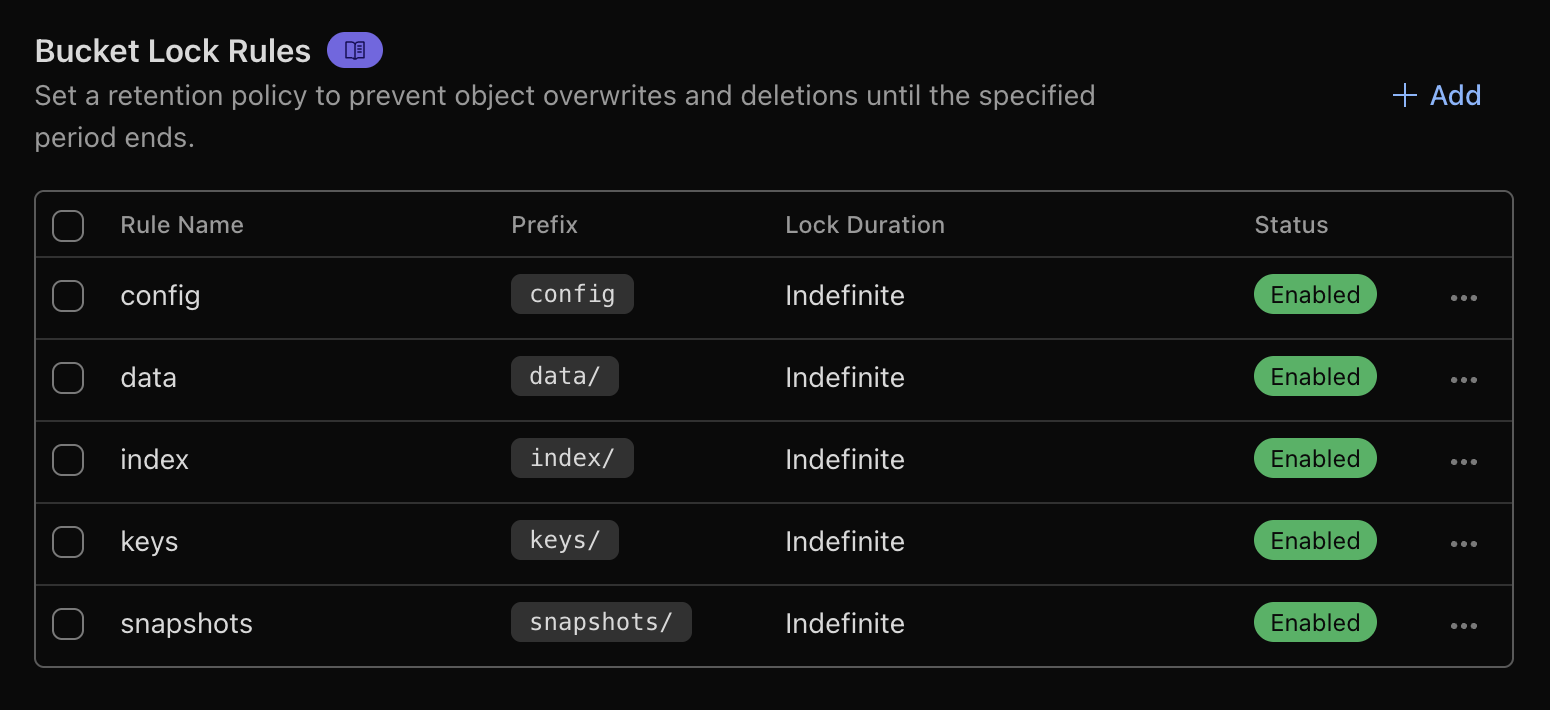
When you need to run restic forget, the workflow is:
- Temporarily disable the bucket lock.
- Run the
forget --keep-daily 7 --keep-weekly 5 --keep-monthly 12 --prunecommand to prune outdated snapshots. - Immediately re-enable the lock to ensure backup integrity.
This setup provides a balance between security (protection against accidental or malicious overwrites) and flexibility (easier snapshot pruning with restic).
* This post is licensed under CC BY-SA 4.0