Playing Around with Anycast DNS
So, I recently moved my website’s authoritative DNS away from Cloudflare and onto a self‑hosted setup. The main reason? I just wanted more control and the freedom to tinker around.
Naturally, as soon as I had everything running, I started experimenting. The first thing I tried was:
👉 Blocking visitors who use Google Public DNS and Cloudflare DNS.
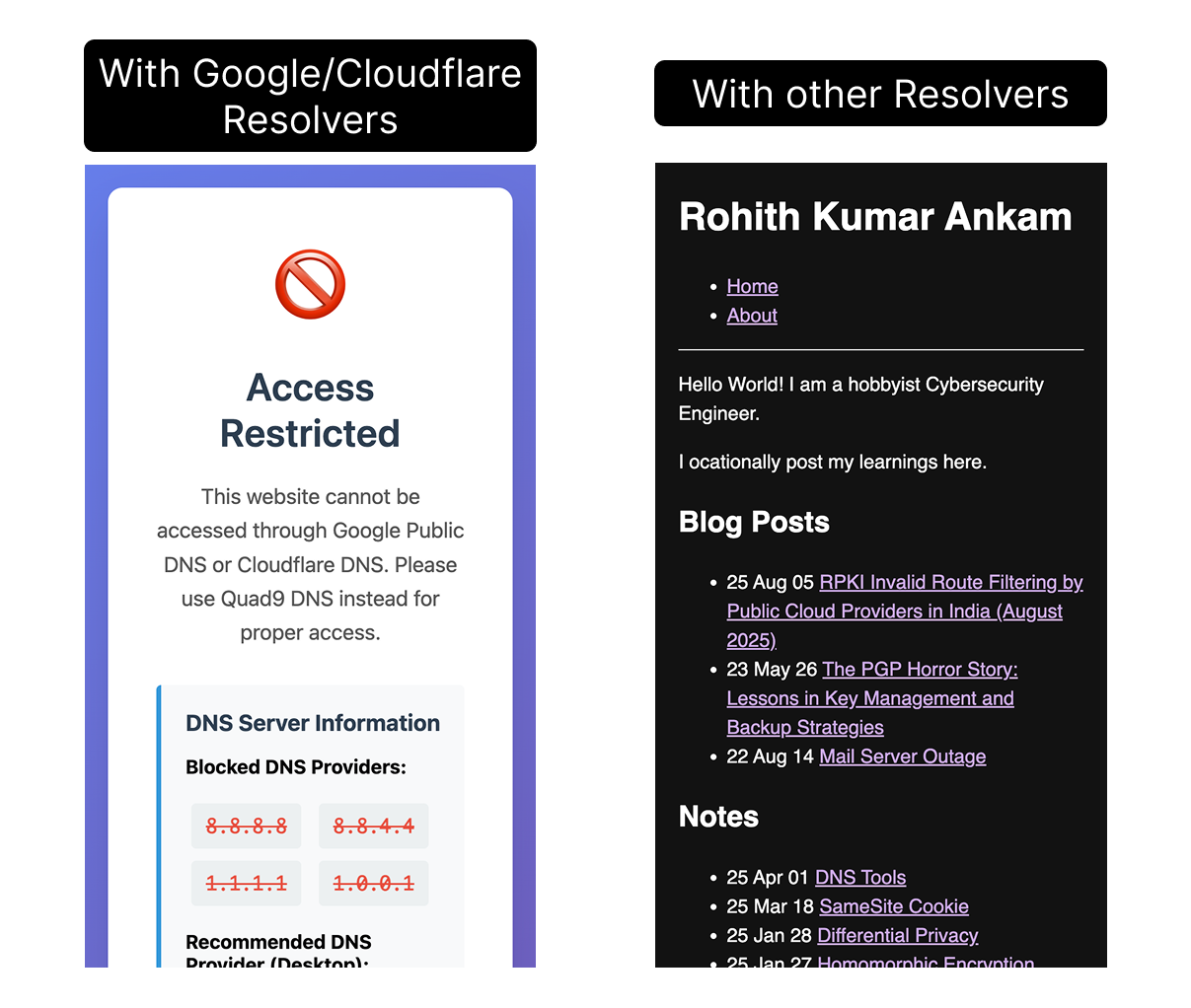
Since my nameserver is sitting on a DigitalOcean VPS in Bengaluru, India (BLR), Queries from faraway parts of the world faced 300+ ms round‑trip. That’s way too slow.
Which got me thinking: why not try Anycast DNS?
Picking an Anycast Provider
Now, running a personal ASN just for Anycast would be a fun flex, but it’s also expensive and complicated. Instead, I looked into Anycast‑IP‑as‑a‑Service. Turns out, there aren’t many providers with transparent pricing:
- Rage4
- x4b
- AWS Global Accelerator (but only useful if you’re deep in AWS world)
- BuyVM/Frantech (only 4 PoPs)
I went with Rage4, mainly because they had 21 PoPs worldwide and it’s €10/IP/month with 1TB bandwidth included. While digging around, I even noticed that grapheneos.org is using Rage4 for its authoritative DNS with four PoPs—nice validation.
I spun up servers near every Rage4 PoP I could (except UAE—Vultr doesn’t have it anymore), and then used Ansible to deploy both DNS and a tiny webserver everywhere. Later on, I might actually play with Anycast CDN using the same method.
Tech Overview
Here’s how Rage4 works at a high level:
- They use a ZeroTier overlay network to connect all the servers.
- For BGP, I went with BIRD2.
- Routes are advertised over ZeroTier.
That’s basically it! Not too painful once it was scripted. I’m planning to write a detailed tutorial post in the future.
Testing Performance
Okay, so let’s talk results. I compared my plain old unicast DNS with the new 20‑PoP Anycast DNS, and also threw in some big names like Akamai, Cloudflare, NS1, etc. Fun fact: Netlify and Vercel uses NS1 to host cutomer’s zones.
For testing, I used 1,000 RIPE Atlas probes all around the world to ping the DNS servers and record RTT. Here’s how it looked:
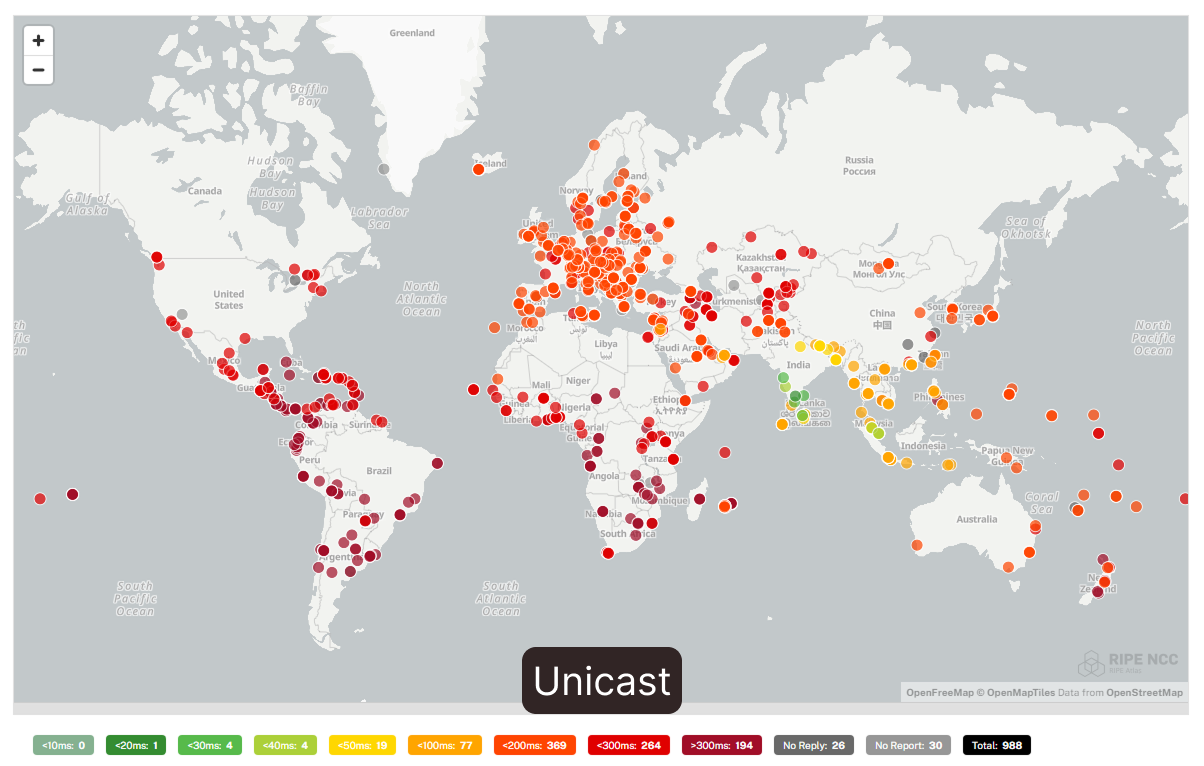
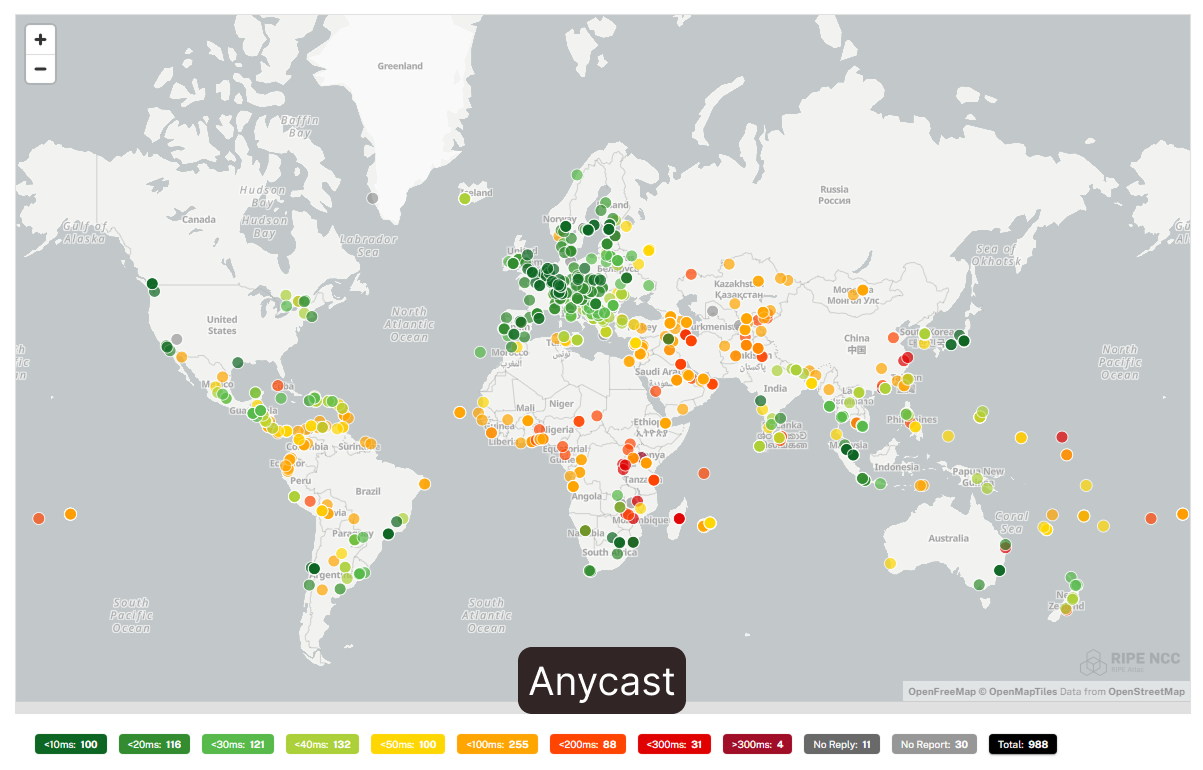
Comparison table
| Server | 25th % | 50th % | 75th % | 90th % | Average |
|---|---|---|---|---|---|
| Unicast | 157.46 | 197.82 | 280.18 | 331.72 | 213.02 |
| GrapheneOS (4 PoPs) | 32.71 | 68.48 | 121.33 | 191.70 | 87.38 |
| Google Cloud (GCP) | 33.96 | 56.53 | 99.15 | 138.10 | 71.27 |
| Amazon Route 53 | 16.74 | 46.32 | 92.73 | 186.93 | 70.84 |
| NS1 | 23.99 | 43.11 | 84.08 | 155.68 | 63.08 |
| Anycast (20 PoPs) | 22.43 | 40.66 | 72.02 | 117.35 | 56.28 |
| Akamai | 20.13 | 40.51 | 71.51 | 121.87 | 55.52 |
| Cloudflare | 2.73 | 9.39 | 30.44 | 66.50 | 23.41 |
(RTT in milliseconds, Measured with 1000 RIPE Atlas probes. lower is better)
What stood out:
- My unicast DNS was trash at ~213 ms average.
- Switching to Anycast brought me down to 56 ms average—a 🔥 improvement!
- That actually puts me in a respectable spot, pretty close to Akamai.
Wrapping Up
This was mostly a fun side project to learn more about DNS and routing. Since I’m on a budget, I won’t be keeping the Anycast setup running forever. I’ll probably stick with unicast DNS for now.
But down the road, when I start playing with an actual anycast CDN experiment. Right now I’m reading up on proxying and tenant provisioning to prep for that.
If you found this post interesting or want to help fund future experiments like this, consider buying me a coffee ☕
So yeah—this was me geeking out with DNS. Learned a lot, and if nothing else, I now have charts that make me look like I run my own mini‑Cloudflare 😅.
Interesting reads.
- https://blog.apnic.net/2021/04/07/building-an-open-source-anycast-cdn/
- https://www.animmouse.com/p/my-asn-journey/
- https://grapheneos.org/articles/grapheneos-servers#ns1.grapheneos.org
* This post is licensed under CC BY-SA 4.0